Media Stack Notifications on Your Phone: Integrating Sonarr, Radarr, Prowlarr, Jellyfin, and Overseerr with ntfy
June 7, 2026Tutorials
Wire up the full media stack to send push notifications through apprise and ntfy. Three dedicated topics keep alerts, media requests, and download activity cleanly separated — so you know the moment something breaks, a request is ready, or a download completes.
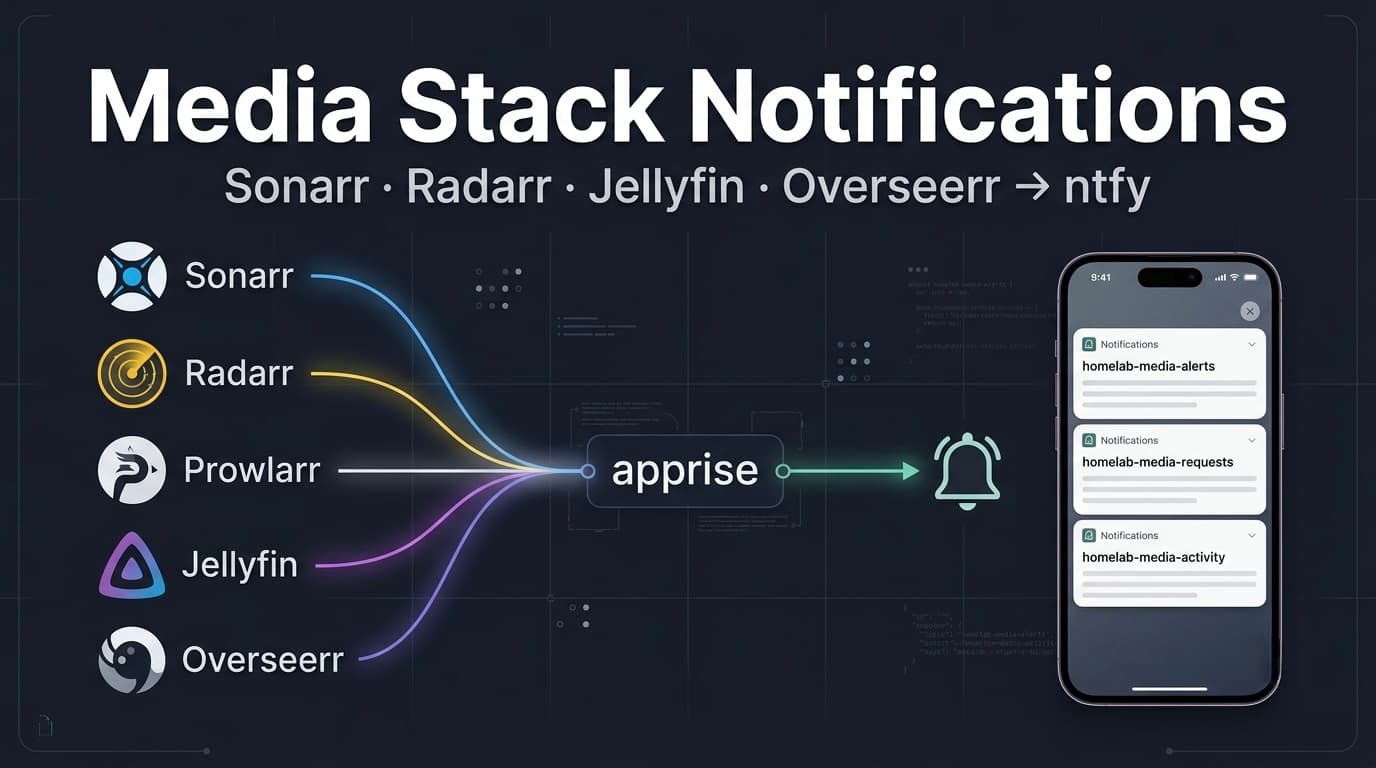
This is part three of the homelab notifications series. In part one we set up ntfy on LXC 158 and apprise on LXC 159. In part two we wired up Beszel and Uptime Kuma for infra alerts. Now we connect the media stack — Sonarr, Radarr, Prowlarr, Jellyfin, and Overseerr — so notifications land on your phone across the full lifecycle from request to playback.
None of these services speak ntfy natively. They all route through apprise on LXC 159, which handles auth and forwards to ntfy on LXC 158.
Sonarr ──────┐
Radarr ──────┤
Prowlarr ────┼──→ apprise (LXC 159) ──→ ntfy (LXC 158) ──→ phone
Jellyfin ────┤
Overseerr ───┘
Why Three Topics
ntfy topics are your only granularity for muting, filtering, and setting priority on your phone. A single homelab-media topic means you can't mute download noise at night without also muting health alerts. Three topics give you independent control:
| Topic | Purpose | Priority |
|---|---|---|
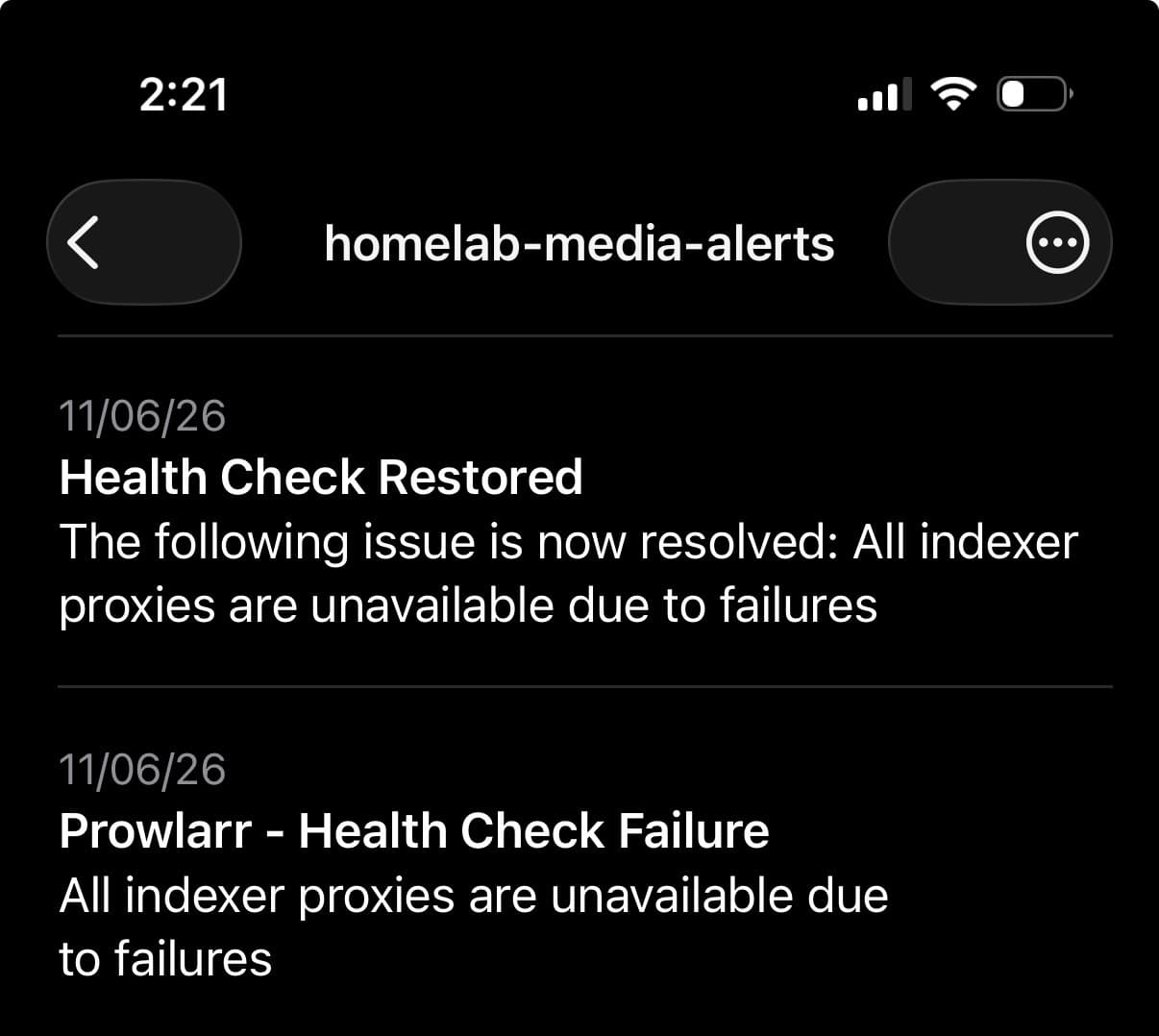
homelab-media-alerts | App-level failures Beszel and Kuma can't catch | High |
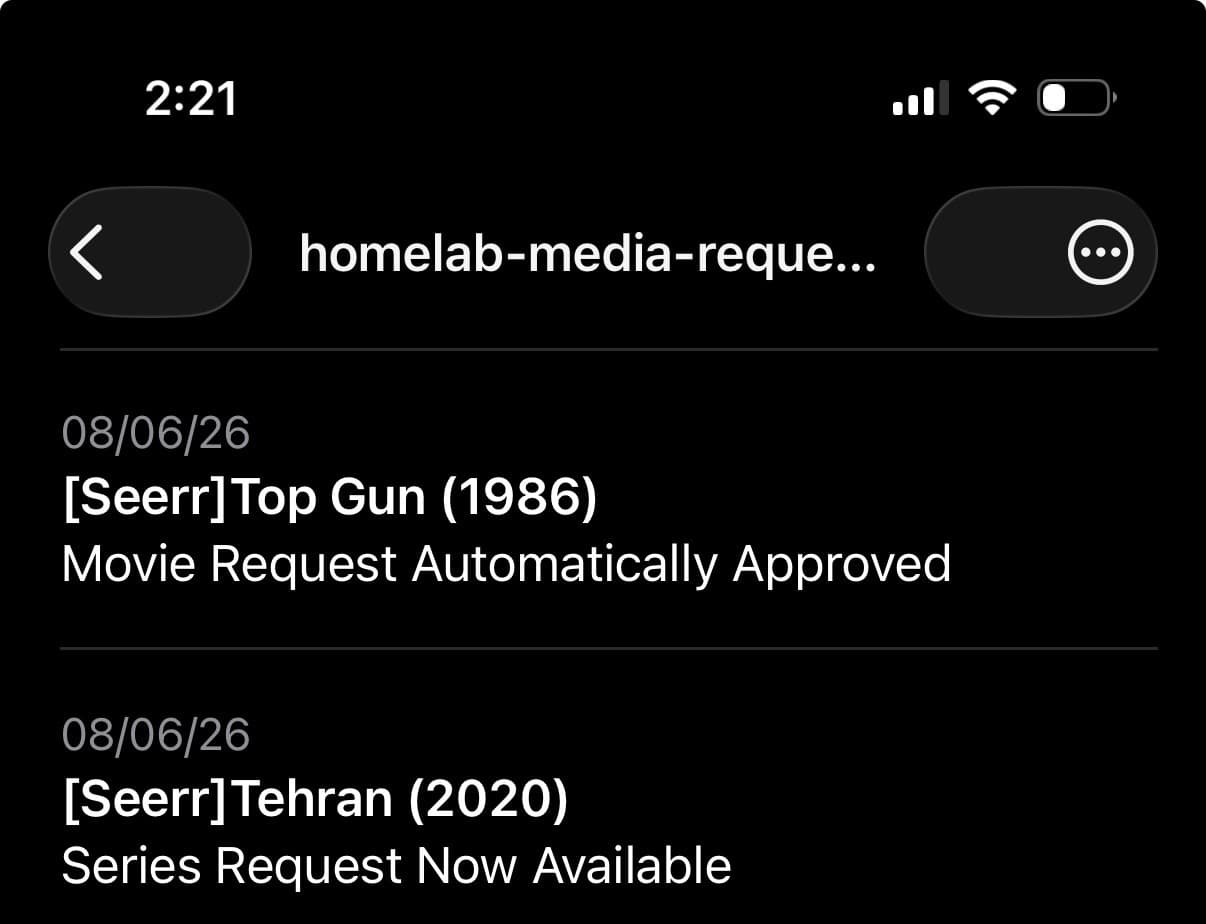
homelab-media-requests | Full request lifecycle + new content available | Default |
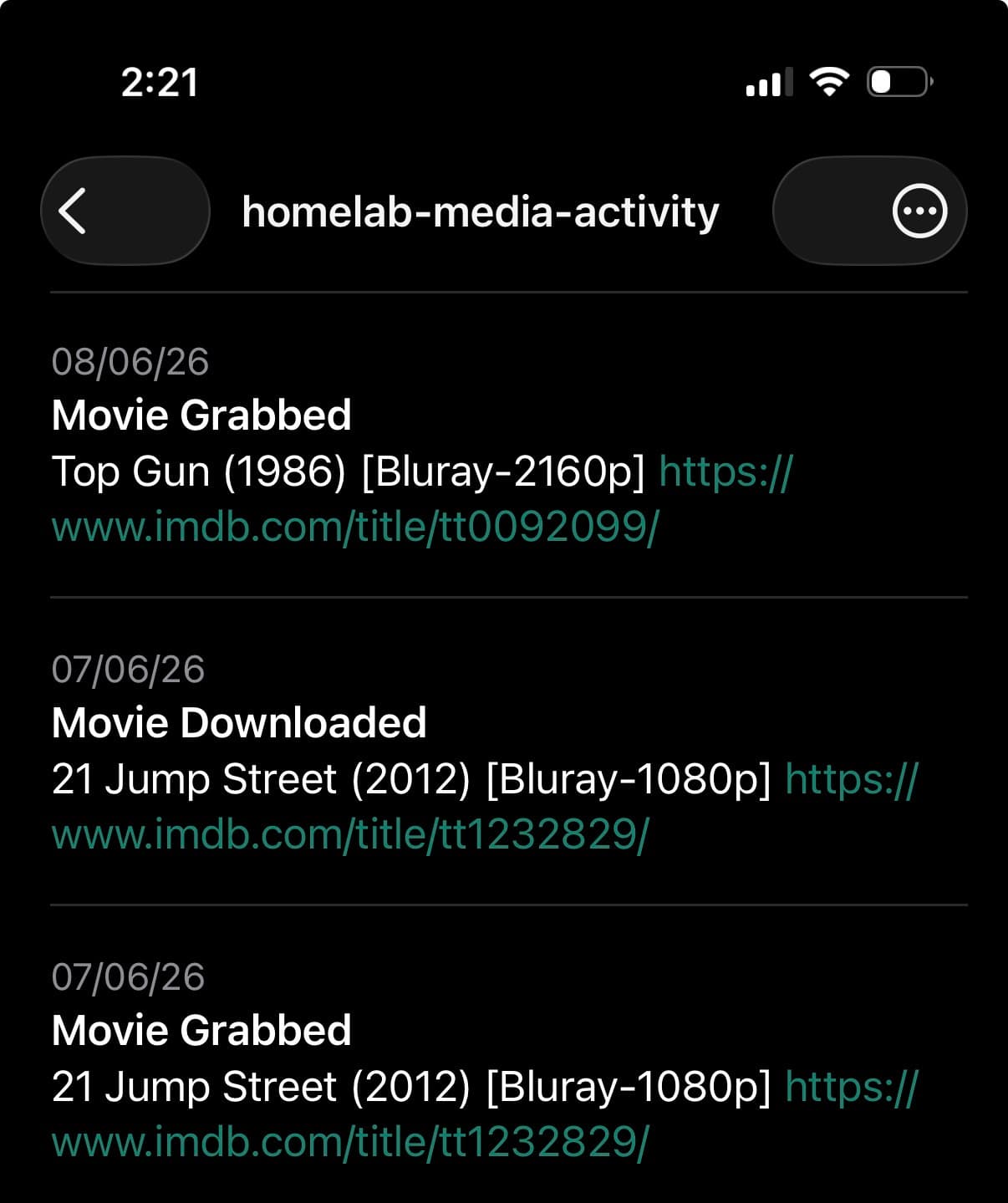
homelab-media-activity | Download grabs, imports, upgrades | Low |
homelab-alerts already exists for infra (Beszel + Kuma) and stays untouched. These three are purely for the media stack.
Why not one topic per service? Five topics means five subscriptions on your phone. You'll mute all of them within a week. Two levels of separation — alerts vs activity — is the right granularity for a homelab.
System Reference
| Property | Value |
|---|---|
| ntfy LXC IP | 192.168.0.158 |
| apprise LXC IP | 192.168.0.159 |
| apprise API port | 8000 |
| Jellyfin LXC IP | 192.168.0.153 |
| All media services | LXC 153 (Sonarr, Radarr, Prowlarr, Jellyfin, Overseerr) |
Part 1 — ntfy Tokens
Each topic gets its own publisher token. This means you can revoke per-topic if needed without touching the others, and it's clear in the token list which token belongs to which pipeline.
Jump into LXC 158:
pct exec 158 -- bashGenerate three tokens:
ntfy token add publisher --label media-alerts
ntfy token add publisher --label media-requests
ntfy token add publisher --label media-activity
Verify they were created:
ntfy token listExpected output alongside your existing tokens:
user publisher
- tk_cy5l3sebk2d8hzor2kmyo1ad1h2x5, never expires, label: media-alerts
- tk_e7d4gfd59p4gf08d7a4q8am5nsiho, never expires, label: media-requests
- tk_m76fwwy2gnklofsibfkd3kjvhhmxn, never expires, label: media-activity
- tk_irmbr8hvgitzipx5ec2byc01ormzj, never expires, label: uptime-kuma
- tk_owy8d8x8p5ddx7gwdwi7g72n4yypi, never expires, label: beszel
Part 2 — apprise Config Files
apprise-api resolves notification targets by config ID. Each config ID maps to a ntfy topic via a URL stored in apprise's internal config store. You register configs by POSTing to the /add/{config_id} endpoint.
First, jump into LXC 159:
pct exec 159 -- bashRegister the three configs
The ntfy URL format for token auth in apprise requires ?auth=token as a query parameter — without it, apprise constructs the wrong Authorization header and ntfy returns 401.
curl -s -X POST "http://localhost:8000/add/media-alerts" \
  -F "config=ntfy://publisher:tk_cy5l3sebk2d8hzor2kmyo1ad1h2x5@192.168.0.158:80/homelab-media-alerts?auth=token" \
  -F "format=text"
curl -s -X POST "http://localhost:8000/add/media-requests" \
-F "config=ntfy://publisher:tk_e7d4gfd59p4gf08d7a4q8am5nsiho@192.168.0.158:80/homelab-media-requests?auth=token" \
-F "format=text"curl -s -X POST "http://localhost:8000/add/media-activity" \
-F "config=ntfy://publisher:tk_m76fwwy2gnklofsibfkd3kjvhhmxn@192.168.0.158:80/homelab-media-activity?auth=token" \
-F "format=text"Each should return Successfully saved.
Keep yml files in sync
apprise-api stores configs in its own internal store, not the yml files directly. But keeping the yml files updated means you have a human-readable reference and can restore configs after a reinstall using the CLI.
cat > /opt/apprise/config/media-alerts.yml << 'EOF'
version: 1
urls:
  - ntfy://publisher:tk_cy5l3sebk2d8hzor2kmyo1ad1h2x5@192.168.0.158:80/homelab-media-alerts?auth=token
EOF

cat > /opt/apprise/config/media-requests.yml << 'EOF'
version: 1
urls:
  - ntfy://publisher:tk_e7d4gfd59p4gf08d7a4q8am5nsiho@192.168.0.158:80/homelab-media-requests?auth=token
EOF

cat > /opt/apprise/config/media-activity.yml << 'EOF'
version: 1
urls:
  - ntfy://publisher:tk_m76fwwy2gnklofsibfkd3kjvhhmxn@192.168.0.158:80/homelab-media-activity?auth=token
EOF
Fix ownership so the apprise user can read them:
chown apprise:apprise /opt/apprise/config/media-alerts.yml
chown apprise:apprise /opt/apprise/config/media-requests.yml
chown apprise:apprise /opt/apprise/config/media-activity.yml
Test all three endpoints
Send a test notification through each config and confirm they land on your phone:
curl -s -X POST "http://localhost:8000/notify/media-alerts" \
  -H "Content-Type: application/json" \
  -d '{"title": "media-alerts test", "body": "apprise → ntfy → homelab-media-alerts working"}'
curl -s -X POST "http://localhost:8000/notify/media-requests" \
-H "Content-Type: application/json" \
-d '{"title": "media-requests test", "body": "apprise → ntfy → homelab-media-requests working"}'curl -s -X POST "http://localhost:8000/notify/media-activity" \
-H "Content-Type: application/json" \
-d '{"title": "media-activity test", "body": "apprise → ntfy → homelab-media-activity working"}'All three should return {"error": null, ...} and land on your phone under their respective topics.
Part 3 — Sonarr
Sonarr gets two connections — one for operational activity, one for health alerts. Go to Settings → Connect → + → Apprise.
Connection 1 — activity
| Field | Value |
|---|---|
| Name | ntfy-media-activity |
| Apprise URL | http://192.168.0.159:8000/ |
| Configuration Key | media-activity |
Enable these triggers:
- ✓ On Grab
- ✓ On Import
- ✓ On Upgrade
Hit Test — you should receive a notification on homelab-media-activity. Save.
Connection 2 — alerts
| Field | Value |
|---|---|
| Name | ntfy-media-alerts |
| Apprise URL | http://192.168.0.159:8000/ |
| Configuration Key | media-alerts |
Enable these triggers:
- ✓ On Health Issue
- ✓ On Health Restored
Why only health events here? The jellyfin LXC is already monitored by Beszel (resource usage, uptime) and Uptime Kuma (UI reachability). Those cover infrastructure-level failures. What they can't catch is app-level failures — Sonarr losing its connection to qBittorrent while both are running, or an indexer becoming unreliable. Health Issue covers exactly that gap.
Hit Test, confirm, save.
Part 4 — Radarr
Same two-connection pattern as Sonarr. Go to Settings → Connect → + → Apprise.
Connection 1 — activity
| Field | Value |
|---|---|
| Name | ntfy-media-activity |
| Apprise URL | http://192.168.0.159:8000/ |
| Configuration Key | media-activity |
Triggers: ✓ On Grab, ✓ On Import, ✓ On Upgrade
Connection 2 — alerts
| Field | Value |
|---|---|
| Name | ntfy-media-alerts |
| Apprise URL | http://192.168.0.159:8000/ |
| Configuration Key | media-alerts |
Triggers: ✓ On Health Issue, ✓ On Health Restored
Test both, save.
Part 5 — Prowlarr
Prowlarr is pure plumbing — indexer management, nothing user-facing. Alerts only, no activity topic needed.
Go to Settings → Connect → + → Apprise:
| Field | Value |
|---|---|
| Name | ntfy-media-alerts |
| Apprise URL | http://192.168.0.159:8000/ |
| Configuration Key | media-alerts |
Triggers: ✓ On Health Issue, ✓ On Health Restored
Test and save.
Part 6 — Jellyfin
Jellyfin doesn't have a built-in Apprise connection type. It uses a Webhook plugin that supports custom destinations. The plugin lets you write a JSON template to transform Jellyfin's payload into whatever shape the target endpoint expects.
Install the Webhook plugin
Go to Dashboard → Plugins → Catalog, search for Webhook, install it, and restart Jellyfin.
Add a Generic destination
After restart go to Dashboard → Plugins → Webhook → Add Generic Destination:
| Field | Value |
|---|---|
| Name | ntfy-media-requests |
| Webhook URL | http://192.168.0.159:8000/notify/media-requests |
| Send All Properties | ✗ unchecked |
| Do not send when body is empty | ✓ checked |
Add a request header:
- Key:
Content-Type - Value:
application/json
Notification Types: ✓ Item Added only. Playback events are noise for a solo homelab.
Template — this is the key part. Jellyfin sends a large JSON payload with fields like Name, NotificationType, ItemType, Year. apprise expects title and body. The template maps between them:
{
  "title": "[Jellyfin] {{Name}} Added",
  "body": "{{ItemType}} ({{Year}}) is now available in your library"
}
The [Jellyfin] prefix in the title matters because Jellyfin and Overseerr both publish to homelab-media-requests. At a glance on your phone you immediately know which service fired without opening the notification. NotificationType is dropped from the body — it'll always be ItemAdded for this trigger, so it's redundant noise.
Why the template matters: Without it, Jellyfin sends its full raw payload and apprise returns 400 because it can't find title and body fields. The template transforms Jellyfin's schema into apprise's schema at the source — no middleware needed.
Save. The Generic destination has no test button — it only fires on real events. Trigger a library scan (Dashboard → Libraries → Scan All Libraries) or add a new item to your media folder to verify.
Part 7 — Overseerr
Overseerr has a built-in Webhook notification type. Go to Settings → Notifications → Webhook:
| Field | Value |
|---|---|
| Webhook URL | http://192.168.0.159:8000/notify/media-requests |
| Authorization Header | (leave empty) |
Notification Types:
- ✓ Request Pending Approval
- ✓ Request Approved
- ✓ Request Available
JSON Payload — replace the entire default payload with:
{
  "title": "[Seerr] {{subject}}",
  "body": "{{event}}"
}
Overseerr's default payload is very verbose — Discord and Telegram fields, media metadata, user avatars, synopsis. apprise only needs title and body. {{subject}} gives you the media title, {{event}} gives a clean human-readable description of what happened — "Movie Request Approved" or "Movie Now Available" — without the synopsis noise. The [Seerr] prefix in the title keeps it distinguishable from Jellyfin notifications since both land on homelab-media-requests.
Note on the Test button: Overseerr's test notification sends a dummy payload that doesn't populate {{event}}, so the test will fail with a 400 error from apprise. This is a known limitation — real notifications work correctly because {{event}} is always populated for actual request events. Don't use the test button to validate this integration; instead submit a real request and confirm it lands on your phone.
Save the settings.
What You End Up With
| Service | Connection | Topic | Triggers |
|---|---|---|---|
| Sonarr | ntfy-media-alerts | homelab-media-alerts | Health Issue, Health Restored |
| Sonarr | ntfy-media-activity | homelab-media-activity | Grab, Import, Upgrade |
| Radarr | ntfy-media-alerts | homelab-media-alerts | Health Issue, Health Restored |
| Radarr | ntfy-media-activity | homelab-media-activity | Grab, Import, Upgrade |
| Prowlarr | ntfy-media-alerts | homelab-media-alerts | Health Issue, Health Restored |
| Jellyfin | ntfy-media-requests | homelab-media-requests | Item Added |
| Overseerr | ntfy-media-requests | homelab-media-requests | Request Pending, Approved, Available |
The full request lifecycle now closes the loop on your phone: request something in Overseerr → Sonarr/Radarr grabs it → download completes and imports → Jellyfin adds it to the library. Four notifications, three topics, zero manual checking.
What's Next
The notification stack is now complete across infra and media. Next up: setting up automated backups for the apprise config store so token registrations survive a container rebuild.
Homelab Alerts on Your Phone: Integrating Beszel and Uptime Kuma with ntfy
Wire up Beszel and Uptime Kuma to send push notifications through ntfy. Configure Shoutrrr URLs for Beszel, native ntfy integration for Uptime Kuma, set meaningful alert thresholds, and harden everything with access tokens instead of passwords.
Self-Hosted Obsidian Sync: CouchDB + LiveSync on Proxmox
A complete walkthrough for syncing Obsidian across Mac and iPhone using a self-hosted CouchDB instance running in Docker on a Proxmox LXC, with E2E encryption and automated Google Drive backup.